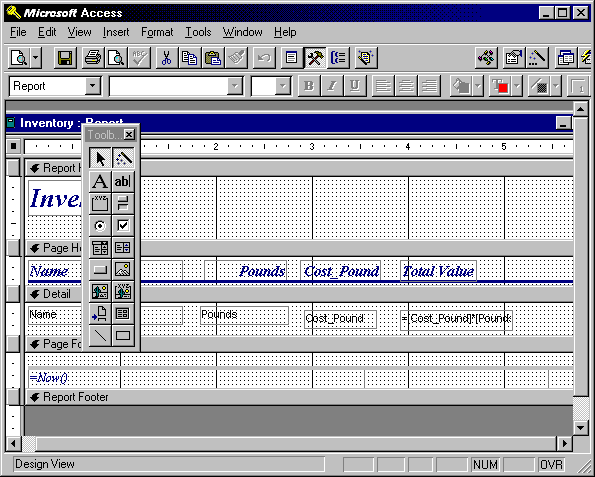
Data manipulation tools and querying tools are very handy for people with some degree of computer skill, but often computer operators are required to produce some sort of report with the data they have been working on. Report tools are a class of tools that focus on the production of attractive output from a database. A report is a specially formatted subset of a table (or tables) designed explicitly for printing or displaying on the screen. Often a report has a list of fields across the top, and each row of the report represents a record.
Many times what you see in a report is not actually the raw data from the table, but some subset of that data that is pertinent to answering a specific question. Sometimes reports are listings only of the results from a specific query, although they could also be the entire table if we wanted. Most reports do not list every field in the table. For example, if we wanted to make a report of the prices of our fruit, we might only include the NAME and PRICE/POUND field. The other fields are still there, but we don't have to include them on our report, because they would distract from the report's main job, listing the prices. (We might have another report to list values of other fields) Sometimes reports contain values that have been calculated from other fields. For example, if we had a POUNDS field for our fruit that showed the number of pounds of each type of fruit on hand, we might want to have a column of our report that contains the calculation COST_POUND * POUNDS. (Wow, that looks a lot like a spreadsheet formula, doesn't it?)
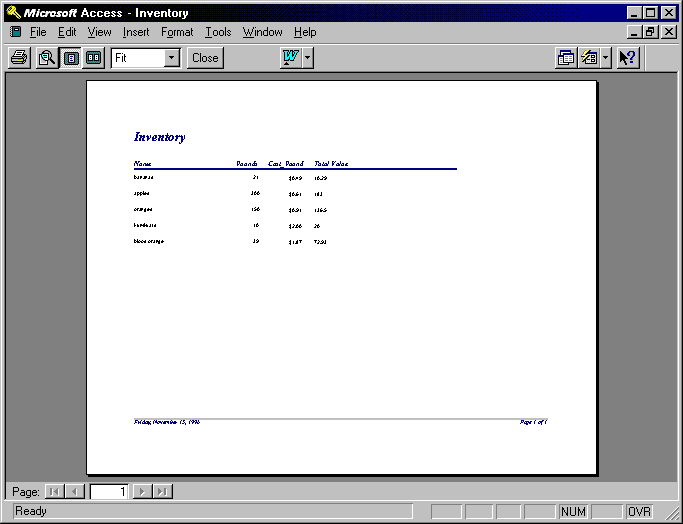
Reports do not have to look like tables. Other common report formats are mailing labels and mail merge letters. (Have you ever gotten mail from Ed McMahon? Are you impressed that he took the time to type a letter with your name and address in it?) The formatting is different in these types of reports, but the process is the same. Pieces of data from the database have been pulled out and integrated into some sort of document for printing and display.